 Folderly
Folderly
Folderly
When every folder name looks alike, photo covers and color tags make the right folder visible before you read the label.
No fiddly .ico conversion — just drag and drop.
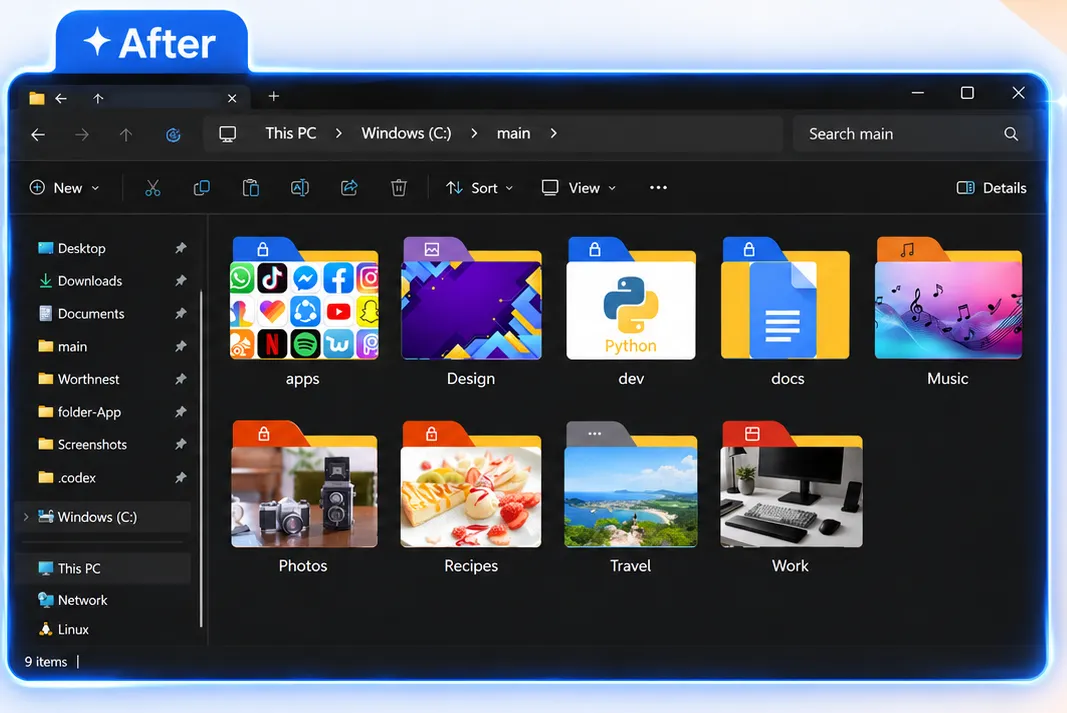
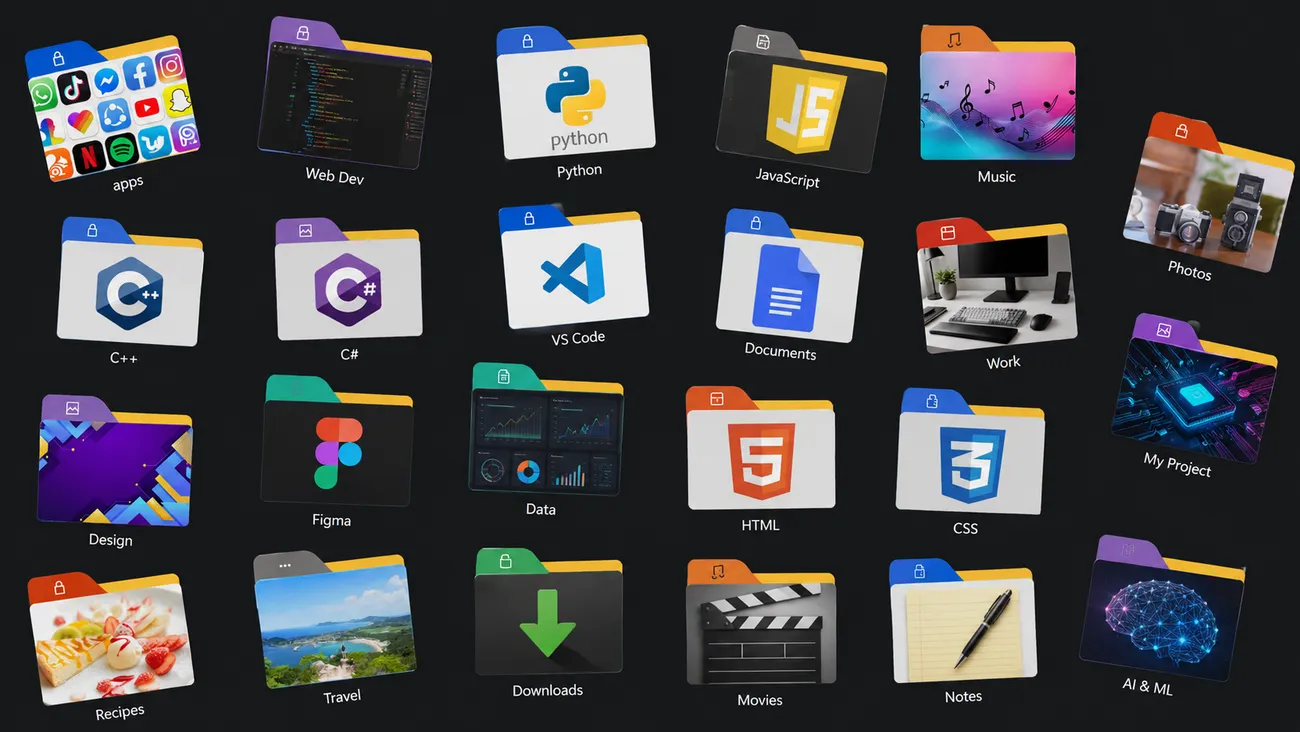
From day one, make folders your own in seconds.
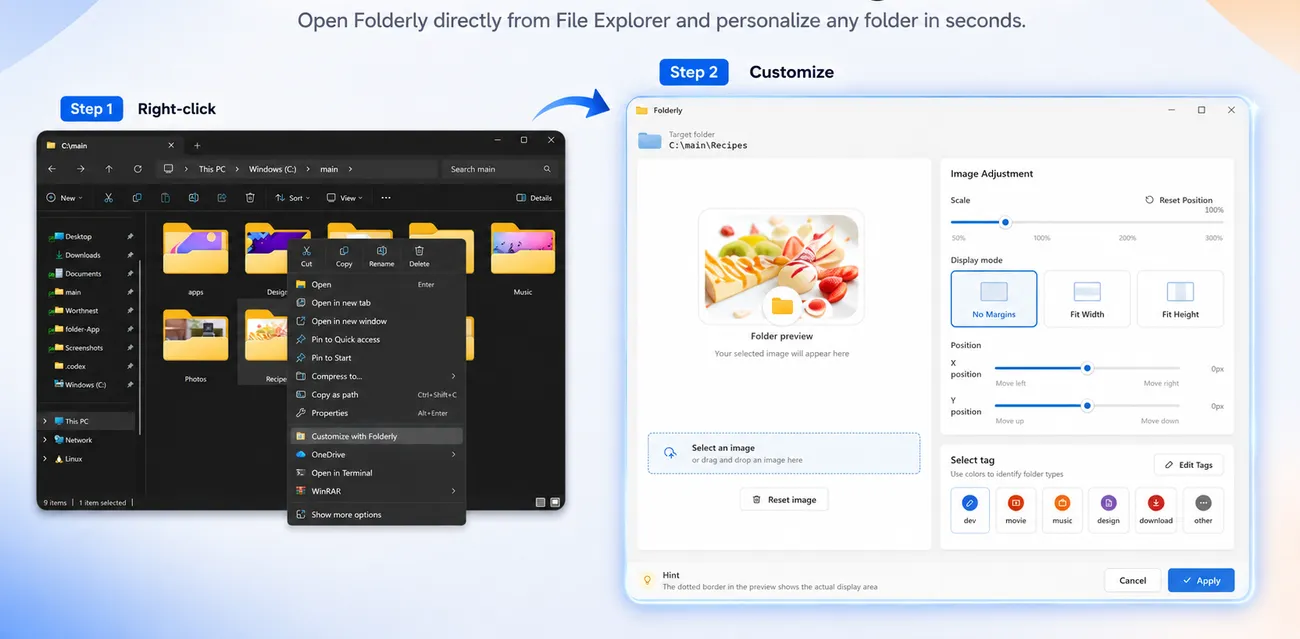
Right-click a folder and choose "Customize with Folderly." Launch it right from File Explorer.
Drag and drop any image. Fine-tune scale and position while you preview the result.
Click "Apply" for an instant new icon. No reboot, no conversion work required.
Launch Folderly straight from the familiar right-click menu in File Explorer. Just pick an image and adjust — simple as that.
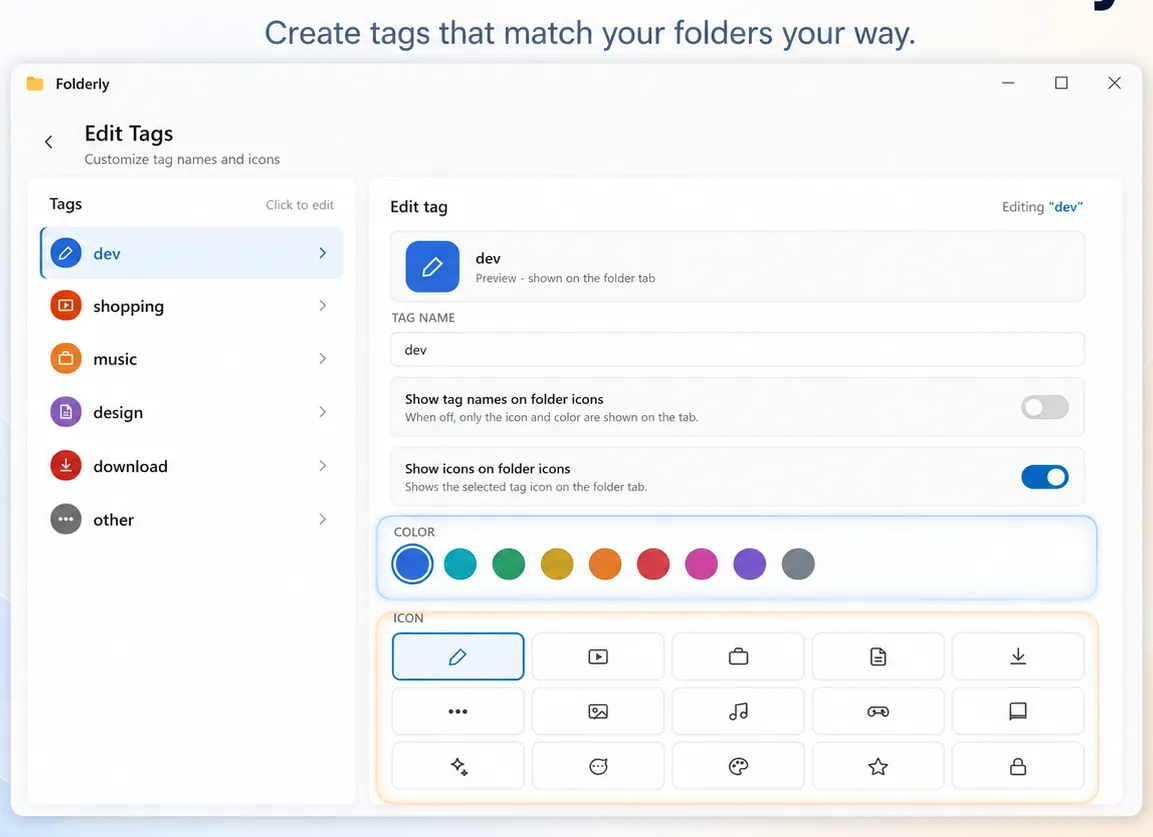
Create tags that match each folder type. Choose from 9 colors and a rich set of icons, so everything is easy to tell apart at a glance.
Launch Folderly from the Start menu to manage every customized folder in one list. Changed your mind? Restore with a single click.
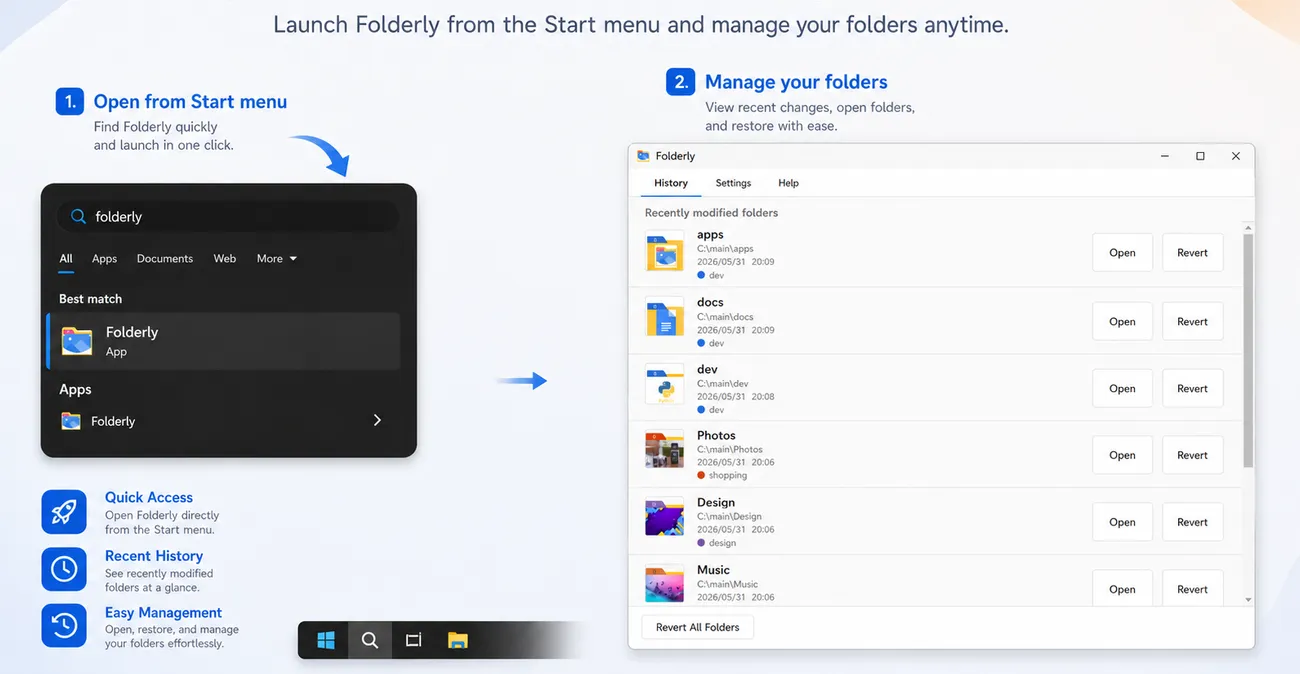
From fine adjustments to undo — customize exactly the way you want.
Turn photos and illustrations straight into folder icons. No .ico conversion needed.
Add color and icon tags to folders for easy visual management.
Adjust scale and position, and confirm the best look in the live preview.
Restore from history individually or all at once, anytime.
| Windows built-in (manual .ico) |
Preset-icon apps | Full-featured paid software | Folderly PICK | |
|---|---|---|---|---|
| Use your own photos / images | △ Conversion needed | × Presets only | ◎ | Just drop an image |
| Ease of use | Many fiddly steps | Limited | Powerful but complex | Intuitive and simple |
| Price | Free | Free+ | Often $20+ | $1.49 until Sep 2 (usually $2.99) |
| Subscription / ads | None | Ads & in-app purchases | Sometimes subscription | None (no ads) |
| Undo / restore | Restore manually | Partial only | ◎ | Easy restore from history |
Usually $2.99 one-time. Includes a 1-day free trial. No subscription, no ads — use it with confidence.
No .ico conversion. Turn your own images into folder icons and try it free first.
Get it on Microsoft StoreIncludes a 1-day free trial